Home Features How it Works FAQ Download
Users
100+
Star
100+
Scroll
WA+ v1.1.5 is Live!

Export WhatsApp
Groups Instantly

Extract participants, phone numbers, and avatars directly from your active WhatsApp Web sessions. 100% local. Zero database lag. Maximum privacy.
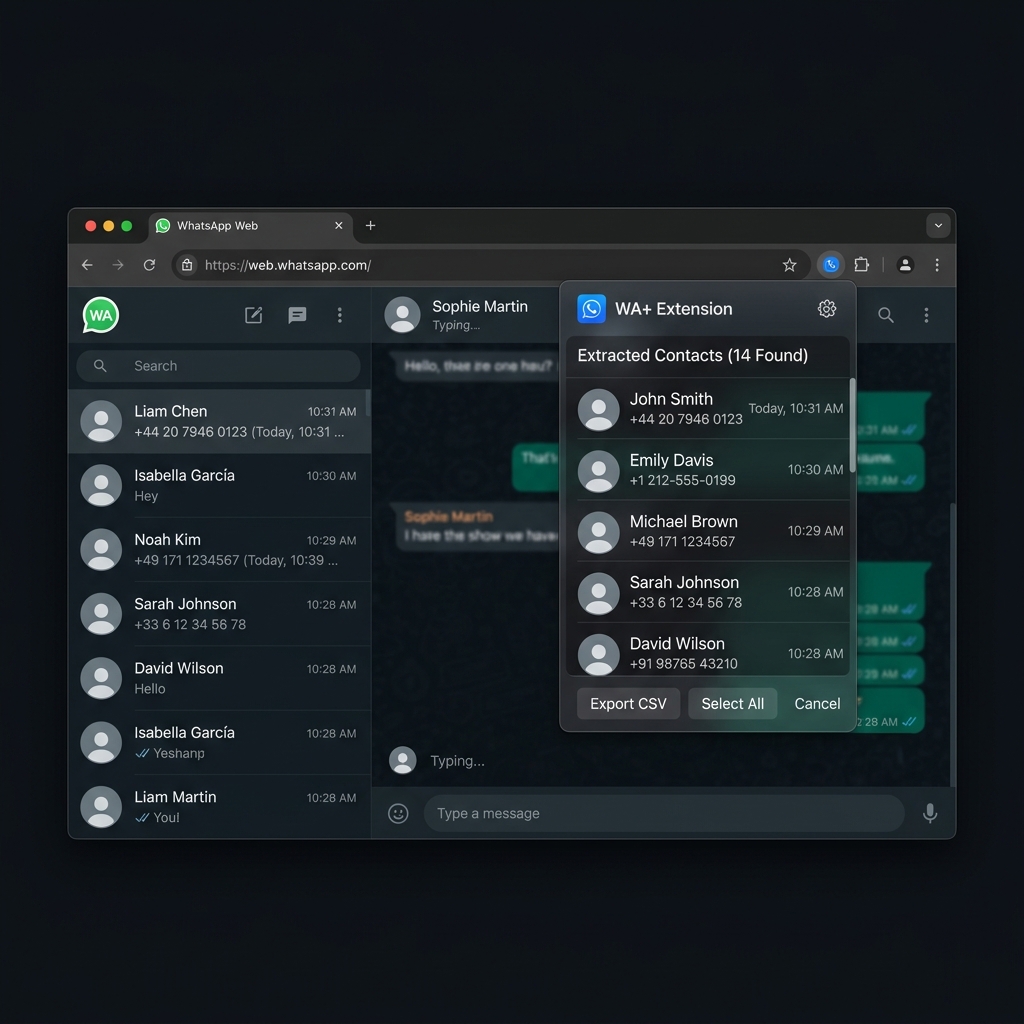
WA+ Extension UI on WhatsApp Web
5.0 Rating on Chrome Web Store

What others say about us

Join the growing community of professionals who trust WA+ for their group management.

"This extension saved me hours of manual data entry. Absolute lifesaver for our large WhatsApp groups!"

S

Sarah Jenkins

Community Manager

"Fast, private, and works flawlessly. Love that it processes everything locally without sending data anywhere."

D

David Chen

Event Organizer

"Exactly what I was looking for. The CSV export is perfectly formatted and ready to use in Excel immediately."

M

Maria Rodriguez

Small Business Owner

"We use this to manage our client communication channels. It's incredibly reliable and the privacy focus is a huge plus."

J

James Wilson

Sales Director

"The best tool for WhatsApp group management. Tried others but this one is by far the fastest and cleanest."

E

Elena Petrova

Digital Marketer

"Beautiful interface and does exactly what it promises. Has become an essential part of my daily workflow."

M

Michael Chang

Support Team Lead

Powerful features, built for privacy

Everything you need to extract and manage your WhatsApp groups.

🚀

Live Memory Extraction

Bypass local databases completely. Extracts lightning fast straight from the internal React Fiber memory tree of WhatsApp Web. Pull thousands of contacts in a fraction of a second with perfect accuracy.

🔒

100% Privacy-First

Data never leaves your browser. No servers, no external APIs, no tracking. Everything happens locally on your own machine.

📊

Beautiful Exports

Export neatly formatted CSVs containing Names, Phone Numbers, Admin Statuses, Pushnames, and high-res Avatar URLs.

How it works

From installation to extraction in four simple steps.

1

Install the Extension

Download WA+ from the Chrome Web Store and pin it to your browser toolbar for easy access.

2

Open WhatsApp Web

Navigate to web.whatsapp.com and log in by scanning the QR code with your phone.

3

Open a Group

Click on the group chat you want to extract participants from. Then, click on the header of the group to open the group info sidebar.

4

Fetch Participants

Click the WA+ extension icon in your browser toolbar, then click Extract Participants. You can view all members, copy them in CSV format to your clipboard, or click to download the CSV file instantly.

Frequently Asked Questions

In case you missed something

Simply visit the Chrome Web Store and click 'Add to Chrome'. The extension will install instantly. Once installed, pin the WA+ icon to your toolbar, open WhatsApp Web, and you're ready to start exporting!

Ready to reclaim your time?

Join community managers and business owners who rely on WA+ for fast, private, and reliable group exports.